> ## Documentation Index
> Fetch the complete documentation index at: https://docs.fitup.health/llms.txt
> Use this file to discover all available pages before exploring further.
# การลบคลาสออกจากระบบจัดการฟิตเนส (Delete Class)
> ลบคลาสออกกำลังกายออกจากระบบบริหารจัดการฟิตเนสอย่างถาวร สมาชิกจะไม่สามารถเข้าร่วมคลาสนี้ได้อีก
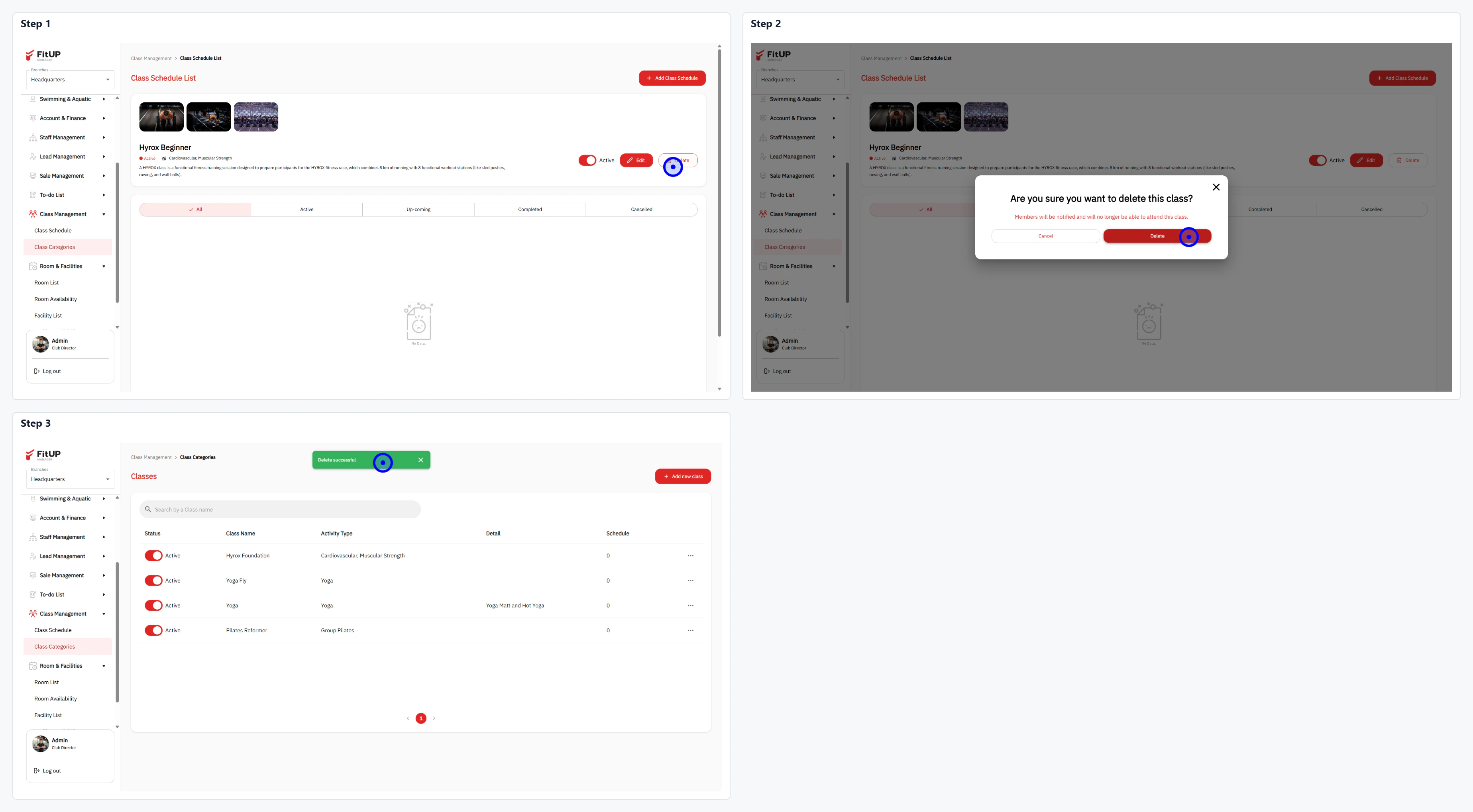 * คลิกที่ชื่อคลาสใน **Class Categories** เพื่อเข้า **Class Schedule List**
* คลิกปุ่ม **Delete** บนหน้านั้น
* ระบบจะแสดงกล่องยืนยัน "Are you sure you want to delete this class?" พร้อมแจ้งว่าสมาชิกจะไม่สามารถเข้าร่วมคลาสได้อีก
* คลิกปุ่ม **Delete** เพื่อยืนยัน
* ระบบจะลบคลาสออกจาก **Class Categories** ทันที
* คลิกที่ชื่อคลาสใน **Class Categories** เพื่อเข้า **Class Schedule List**
* คลิกปุ่ม **Delete** บนหน้านั้น
* ระบบจะแสดงกล่องยืนยัน "Are you sure you want to delete this class?" พร้อมแจ้งว่าสมาชิกจะไม่สามารถเข้าร่วมคลาสได้อีก
* คลิกปุ่ม **Delete** เพื่อยืนยัน
* ระบบจะลบคลาสออกจาก **Class Categories** ทันที