

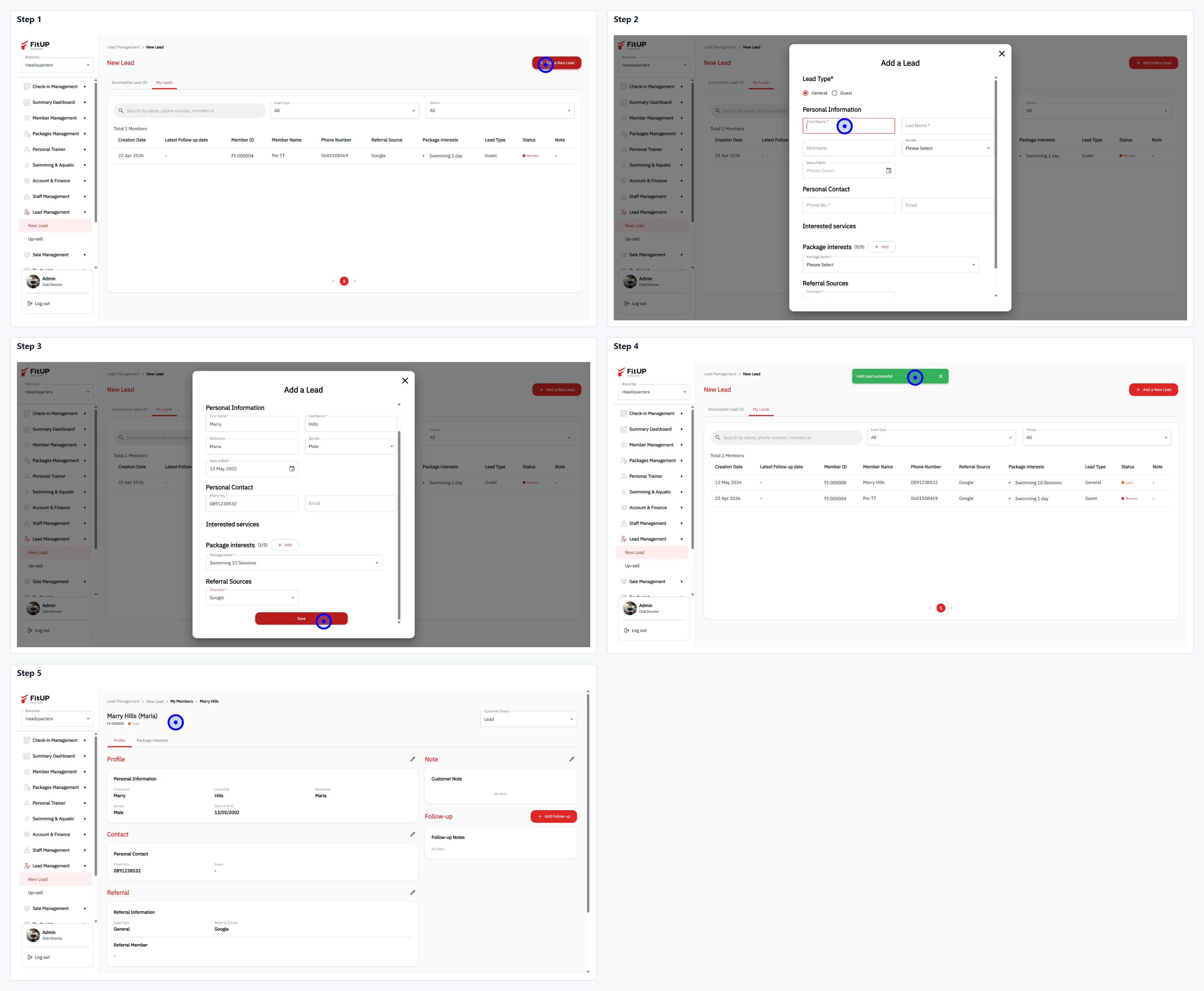
ขั้นตอนที่ 1: เข้าสู่เมนู Lead Management และเริ่มเพิ่ม Lead
- คลิกเมนู Lead Management จากนั้นเลือก New Lead
- คลิกปุ่ม + Add a New Lead ที่มุมขวาบน
ขั้นตอนที่ 2: กรอกข้อมูลในแบบฟอร์ม Add a Lead
- เลือก Lead Type: General หรือ Event
- กรอก Personal Information: ชื่อ-นามสกุล และ DOB (ถ้ามี)
- กรอก Personal Contact: เบอร์โทรศัพท์และอีเมล
- เพิ่มแพ็กเกจที่สนใจในส่วน Package Interests โดยคลิก + Add เพื่อเลือกแพ็กเกจ
- ระบุ Referral Sources: แหล่งที่มาของ Lead เช่น Google หรือ Facebook