

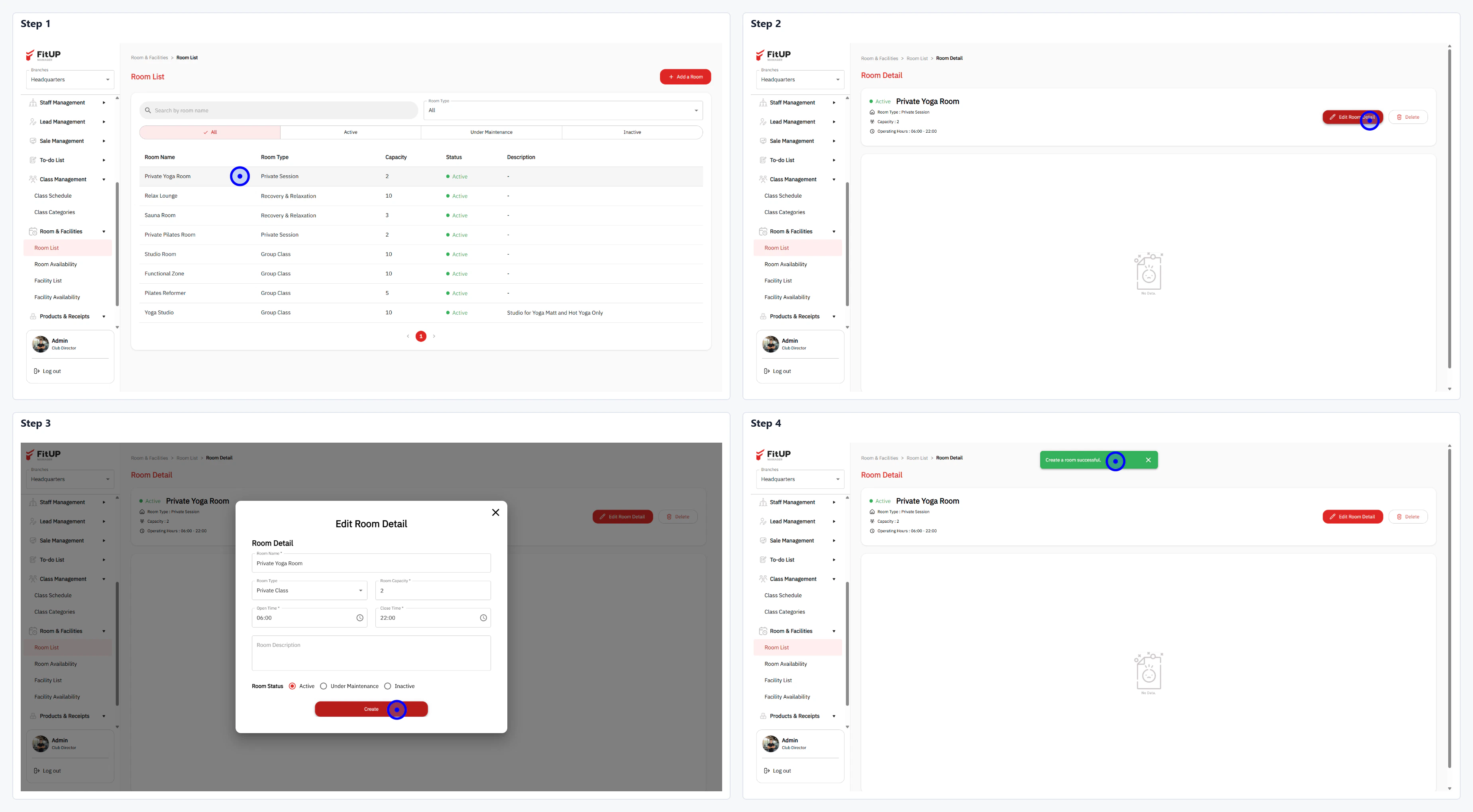
ขั้นตอนที่ 1: เปิดหน้ารายละเอียดห้องที่ต้องการแก้ไข
- คลิกเมนู Room & Facilities จากนั้นเลือก Room List
- คลิกชื่อห้องที่ต้องการแก้ไขเพื่อเปิดหน้า Room Detail
ขั้นตอนที่ 2: แก้ไขข้อมูลในแบบฟอร์ม
- คลิกปุ่ม Edit Room Detail บนหน้า Room Detail
- แก้ไขข้อมูลที่ต้องการ เช่น Room Name, Room Type, Room Capacity, Min / Max และ Room Description
- เปลี่ยน Room Status หากจำเป็น: Active, Under Maintenance หรือ Inactive