

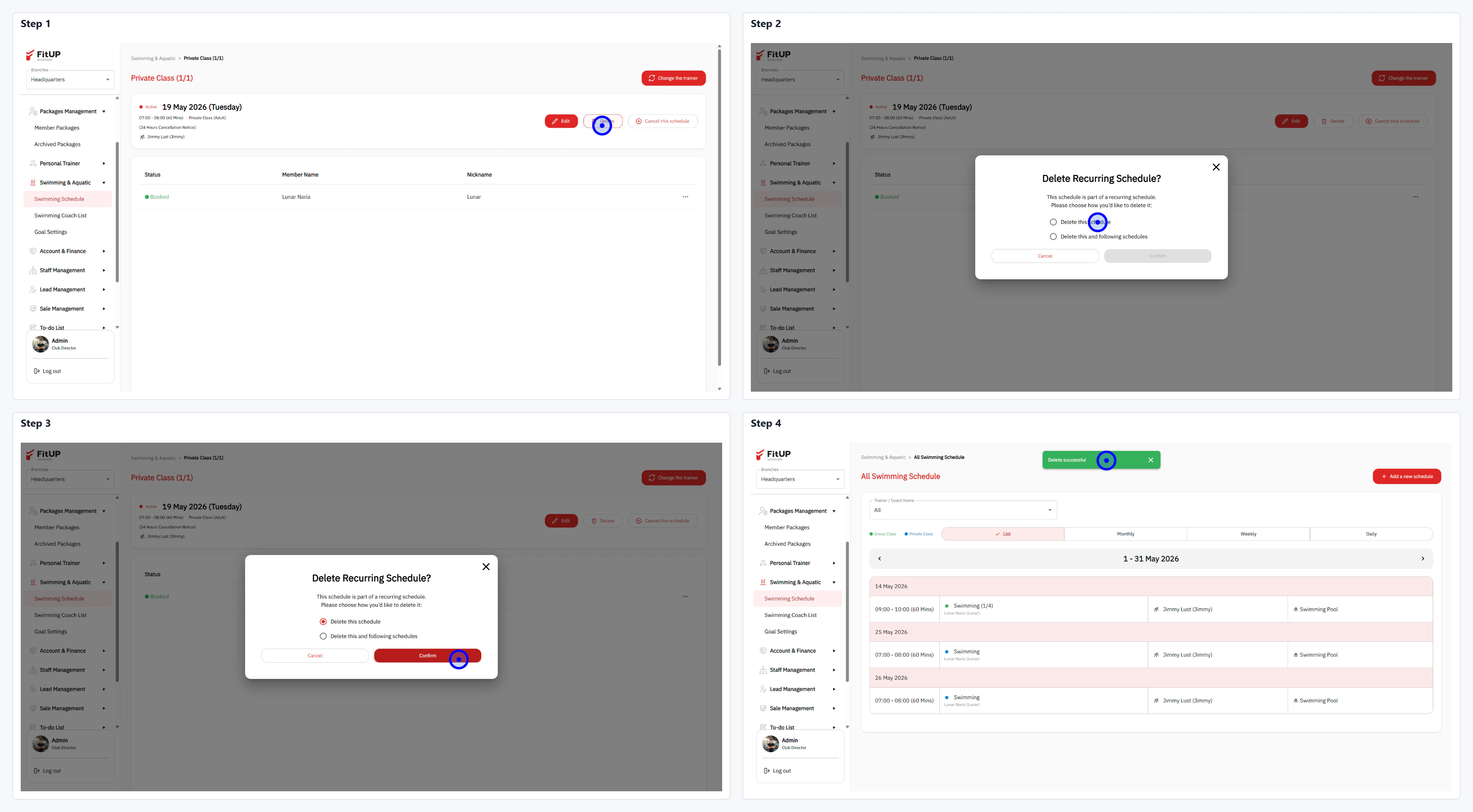
ขั้นตอนที่ 1: เปิดหน้า Class Schedule Detail และเริ่มลบ
- คลิกเมนู Swimming Schedule และเลือก Class ที่ต้องการลบ
- คลิกปุ่ม Delete บนหน้า Class Schedule Detail
ขั้นตอนที่ 2: เลือกวิธีการลบใน Delete Recurring Schedule?
- ระบบจะแสดงกล่องยืนยัน Delete Recurring Schedule? พร้อมตัวเลือก 2 แบบ:
- Delete this schedule: ลบเฉพาะตารางนี้ครั้งเดียว
- Delete this and following schedules: ลบตารางนี้และตารางถัดไปทั้งหมดในชุด Recurring เดียวกัน
- เลือกตัวเลือกที่ต้องการ จากนั้นคลิก Confirm ระบบจะลบตารางและแสดงการแจ้งเตือนสำเร็จ