

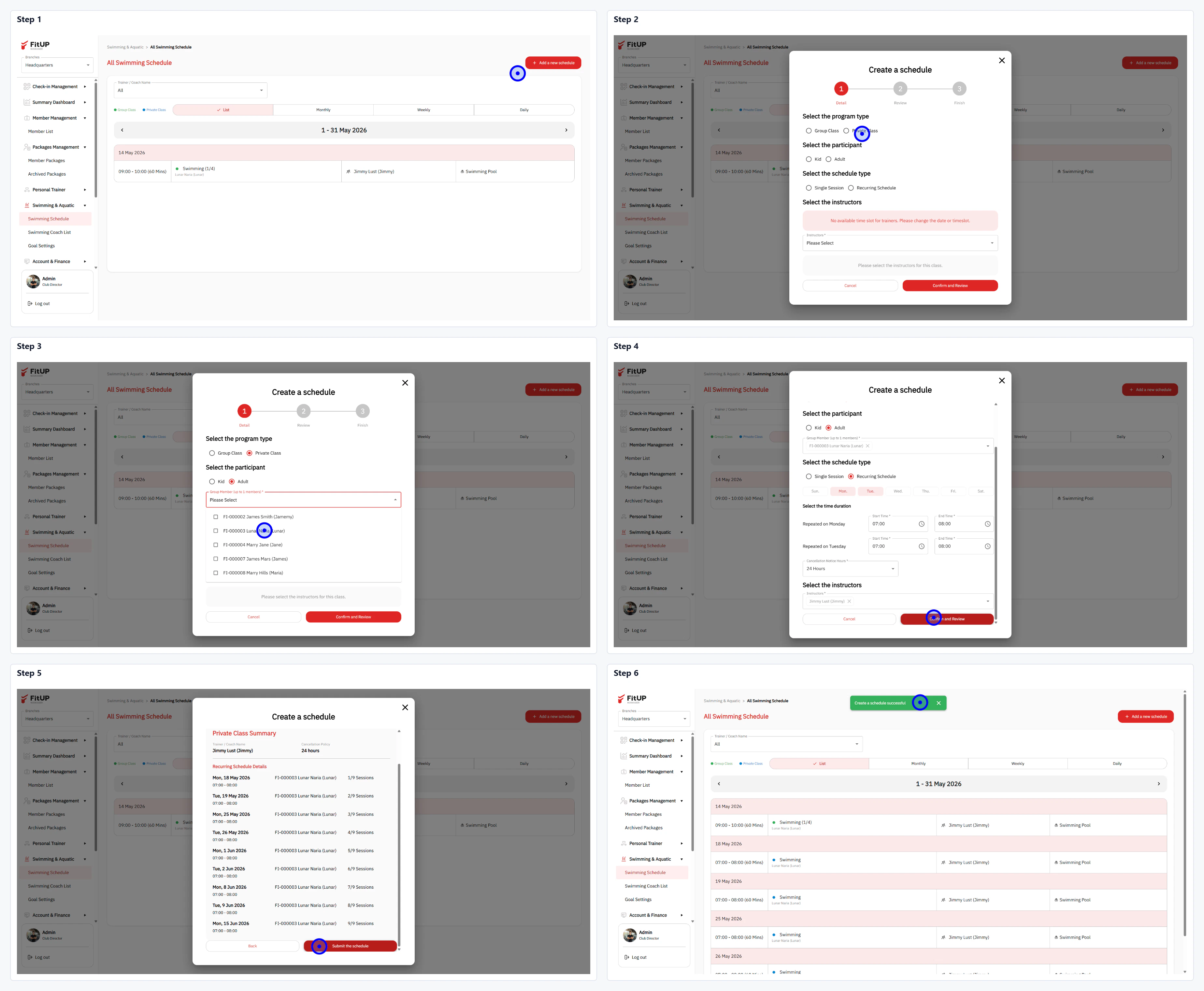
ขั้นตอนที่ 1: เข้าสู่ Swimming Schedule และเพิ่มตารางใหม่
- คลิกเมนู Swimming & Aquatic จากนั้นเลือก Swimming Schedule
- คลิกปุ่ม + Add a new schedule ที่มุมขวาบน
ขั้นตอนที่ 2: กรอกข้อมูล Recurring ในแบบฟอร์ม Create a schedule
- Select the program type: เลือก Recurring
- Select the participant: ค้นหาและเลือกสมาชิกจาก Dropdown (รองรับหลายคน)
- Select the schedule type: เลือก Recurring จากนั้นเลือกวันในสัปดาห์ (เช่น Monday, Wednesday) กำหนดเวลา และช่วง Period
- Select the instructor: เลือกโค้ชที่รับผิดชอบ ระบบจะแสดงรายการตารางที่จะสร้างทั้งหมด